

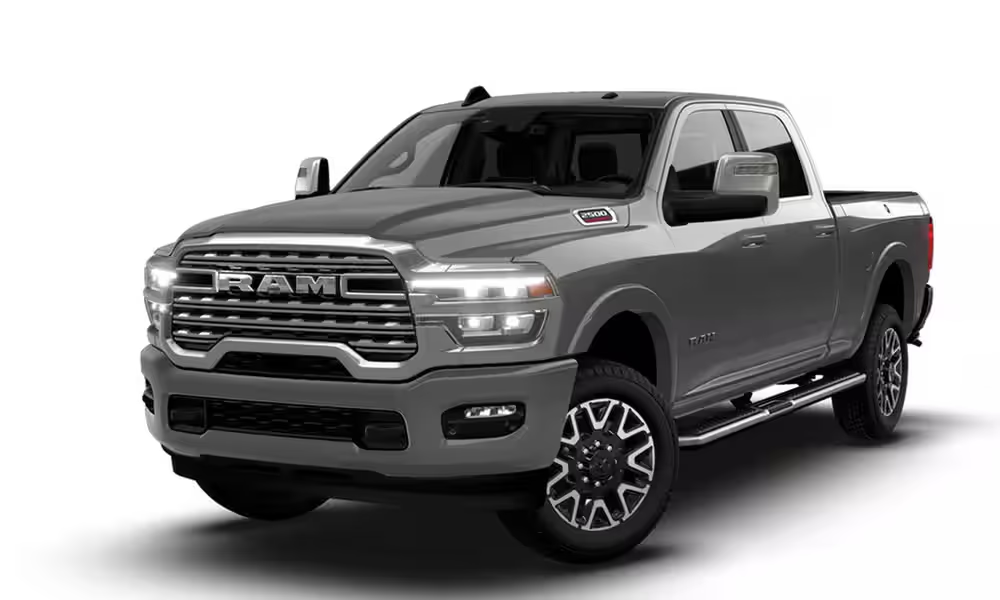
How to Reset the Oil Light on a 2025 Ram 2500
Posted at Thu, Nov 13, 2025 1:30 PM
Your 2025 Ram 2500 features an oil light that plays a crucial role in keeping your heavy-duty powertrain well-maintained and long-lasting. When the oil has to be changed, fluid levels are low, or the sensor is malfunctioning, the dashboard displays the "Oil Change Required" message. If you've already done the service, resetting the oil light is a quick and easy job that only takes a few minutes.
When to Reset the Oil Change Light After Service
The optimal time to reset the oil change light is right after you've completed a full oil and filter change. This step is the final part of the service process, and it's really important not to skip it. Failing to reset the system causes two main problems:
- The dashboard will continue to show the "Oil Change Required" warning. This can be annoying and may overshadow newer warnings.
- The system maintains incorrect tracking of your future service intervals.
For drivers around Prattville who frequently tow or operate in high-temperature conditions, maintaining accurate service records through regular resets and maintenance is absolutely essential to protect your investment.

Step-by-Step Guide to Resetting the Oil Light on a 2025 Ram 2500 Manually
Resetting the oil light on your 2025 Ram 2500 takes less than a minute and doesn't require any special gear. Simply use your steering wheel controls to clear the reminder and maintain your maintenance system accurately.
Step 1: Turn the ignition to the “On” position
Get into the cab of your Ram 2500. Do not press the brake pedal. Press the Start/Stop button once. This action switches the ignition to the “On” position, but the engine remains off. Your dashboard lights and digital displays should be completely lit.
Step 2: Navigate to the “Oil Life” screen on your dashboard
Use the arrow buttons on the left side of your steering wheel to go through your Ram's digital cluster menu. Search for the "Oil Life" or "Vehicle Info" section. Keep scrolling through the different car status pages until you find the percentage of oil life left.
Step 3: Press and hold the “OK” button
To reset the "Oil Life" value, just press and hold the "OK" button, which is typically found in the center of the arrow controls, as soon as the current value appears. Press and hold the button for around five to ten seconds, or until the oil life percentage goes back to 100%. This shows that the system has received your request to reset and has removed the maintenance notification.
Step 4: Verify the reset
To completely turn off the ignition, just press the Start/Stop button again. Now restart the engine fully. Check the dashboard and the Vehicle Information Center to confirm that the "Oil Change Required" alert is gone. If the reminder persists, repeat the reset process.
Your oil light should be reset by now. If it's still on, it could indicate a more serious problem. Check out the next section for some troubleshooting tips.
Troubleshooting: Oil Light Won't Turn Off After Reset
If you've followed the manual's recommendations to reset the oil light and it still comes on, your Ram 2500 may be showing that there is a bigger problem than just a service reminder. There are several reasons why your oil light might stay on:
- The manual reset process wasn't completed correctly (e.g., the “OK” button wasn't held long enough).
- It's possible that the oil sensor or pressure switch is faulty and needs a pro to calibrate it.
- Using subpar oil or an incorrect filter can sometimes set off a low-pressure fault.
- The system may need a more in-depth diagnostic scan to clear a fault code that's stuck in the truck's computer.
If you're still having trouble, please give the manual reset another shot by holding down the “OK” button until the reading hits 100%. If the light keeps coming on, don't hesitate to reach out to Stivers CDJR for a quick and expert diagnostic. Our certified technicians are skilled at spotting sensor or system issues, so you can get back on the roads of Prattville with confidence.
Other Service Reminders to Watch for on Your Ram 2500
Besides the oil light, your Ram 2500 heavy-duty truck displays other vital alerts for peak performance and fuel efficiency. These notifications help safeguard your investment and keep your truck in top shape. The dashboard shows important maintenance alerts, such as:
- Tire rotation reminder
- Brake pad wear alert
- DEF (Diesel Exhaust Fluid) low message
- Engine air filter and coolant service notices
Benefits of Regular Oil Changes for Heavy-Duty Ram Trucks
Regular oil changes keep your heavy-duty Ram running well for years. Skipping this easy, inexpensive service might cause huge, costly consequences. Why your Ram 2500 needs regular oil changes:
- Improved engine performance: Fresh oil reduces friction and heat buildup. This allows your Ram 2500 to tow and accelerate smoothly and steadily.
- Extended engine life: Clean oil fights off sludge and wear particles. This can considerably increase the life of your expensive heavy-duty powertrain.
- Better fuel economy: Well-lubricated engine parts operate more efficiently. This eases the strain on your Ram and saves gasoline on long trips.
- Lower repair costs: Regular oil changes can save you from major engine problems. They eliminate low oil pressure and polluted oil issues.
- Peace of mind on the road: Keeping up with your truck's maintenance means you can count on it when you hit the road. You can tackle the Alabama heat or haul a big trailer without a worry in the world.
Book Ram 2500 Service at Stivers CDJR in Prattville, AL
If your oil light won't reset or you need service, the certified technicians at Stivers CDJR in Prattville are ready to help. We specialize in the robust needs of your Ram 2500, offering everything from oil changes and maintenance resets to complex diagnostics. Don't delay critical heavy-duty maintenance. Schedule your service appointment online or call us at 334-491-0701 today.
Images by OEM